
New Ship Log will have EVERYTHING 🏴☠️
Ahoy crew, welcome below deck!
Another month has flown by. I'm rapidly approaching the due date of my third child now. While we're in a bit of a development limbo period, I've been busily chipping away at the game. In this month's newsletter I'll share a summary of progress and a deep-dive into an upcoming new feature: the "Ship Log" menu.
Smooth sailing,
Ben
July summary
- Steam Cloud saves working on the playtest beta branch
- Rework of card visual prefabs to allow for a selection outline
- Ship Log begun:
- 3D system
- Sorting/Filtering system to allow deep player control
- Controller navigation
The upcoming "Ship Log" feature
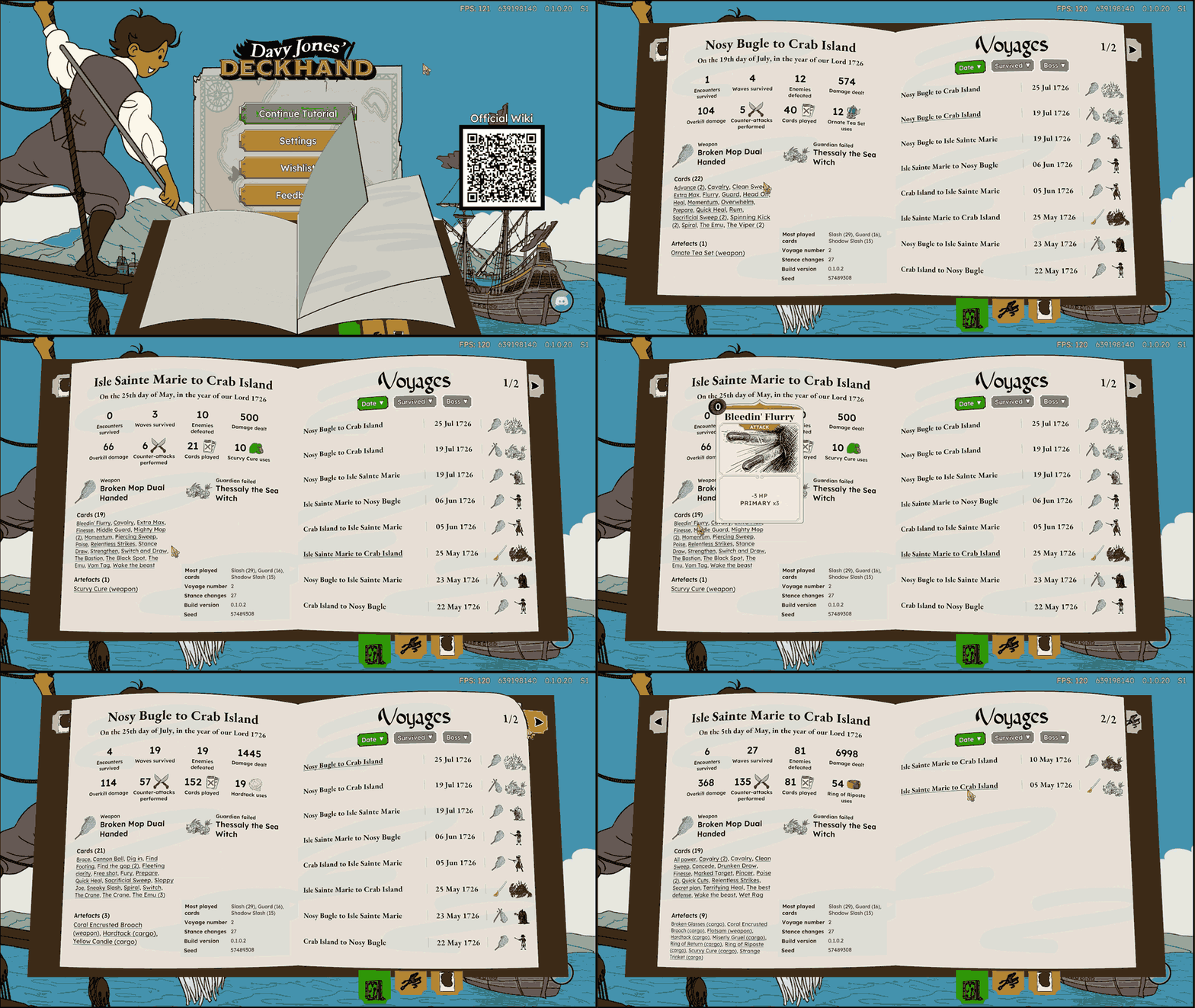
This has been a big piece of work over the past month. Most of the time game menus are flat, with 2D images, text and panels drawn straight onto your screen. But Davy Jones' Deckhand is a bit of an outlier, in that so far we have done almost everything in screen-space UI. But the new Ship Log I've been working on isn't built that way at all, and that choice came with some challenges that are interesting to explain.
I decided to make the Ship Log menu a real 3D object, so we could have the pages naturally curved and flippable. To achieve this, instead of drawing the menu as a flat picture, I've built an actual little 3D scene, a physical book model sitting in its own miniature space.
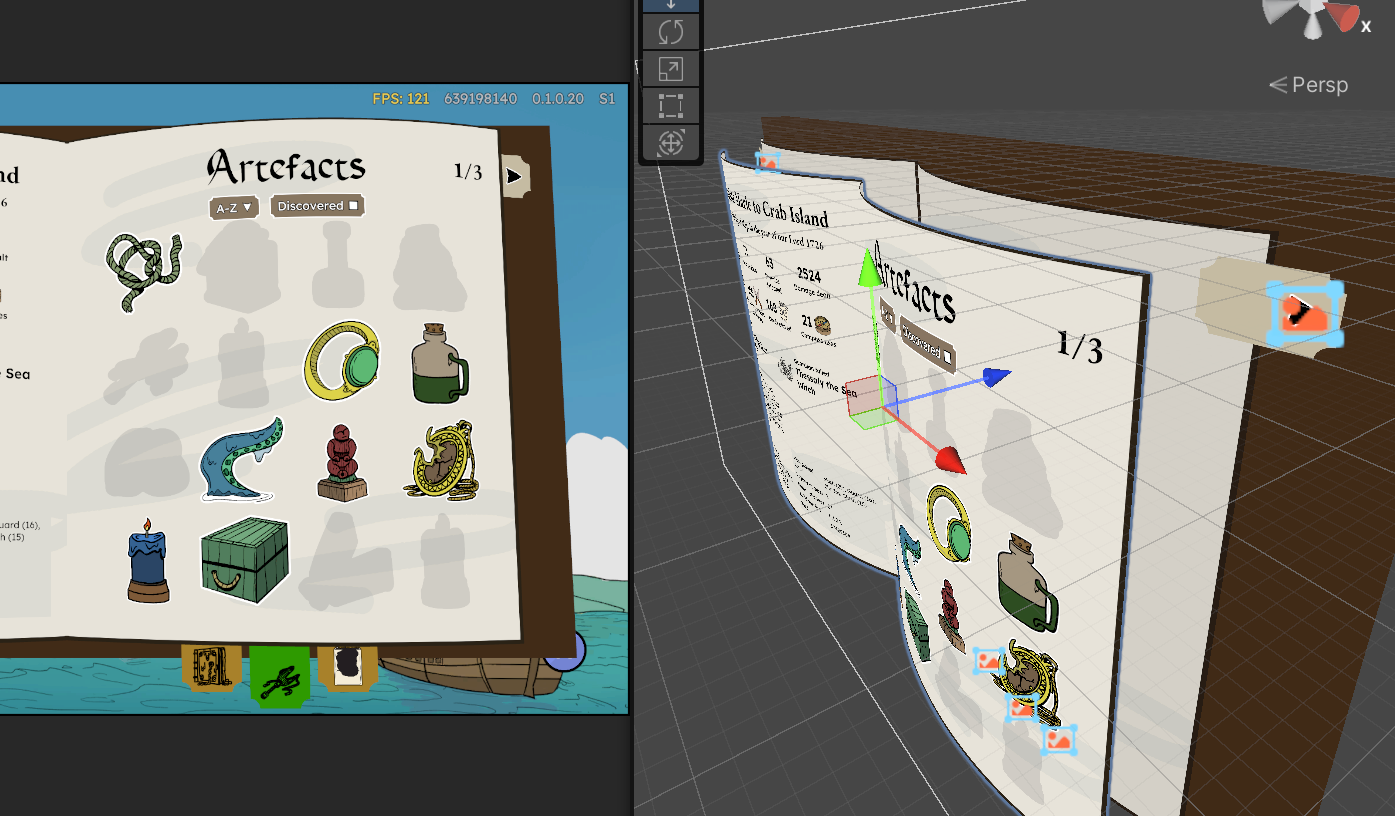
The trouble with doing this as a 3D scene is that Unity Engine naturally draws UI overtop of that world-space stuff. This is particularly difficult for our game because almost nothing is world-space and everything is UI, including our main combat. So to have our 3D Ship Log menu render over-top of the combat scene, we use a hidden camera that "films" the book continuously, and the live footage is pasted onto a flat UI, like a photograph being updated 60 times a second. It sounds like a roundabout way to show a menu, but it's the trick that lets the 3D style journal pop up on top of absolutely everything else.
So the flow is:
- The content on the book pages is created on a flat 2D UI canvas
- That 2D canvas for the page content gets captured by its own hidden camera
- That camera renders what it sees to a texture that is applied to the 3D page mesh
- The 3D object is captured by another hidden camera
- That camera capturing the 3D object renders what it sees to an image on a 2D UI panel
- We see that final 2D UI panel
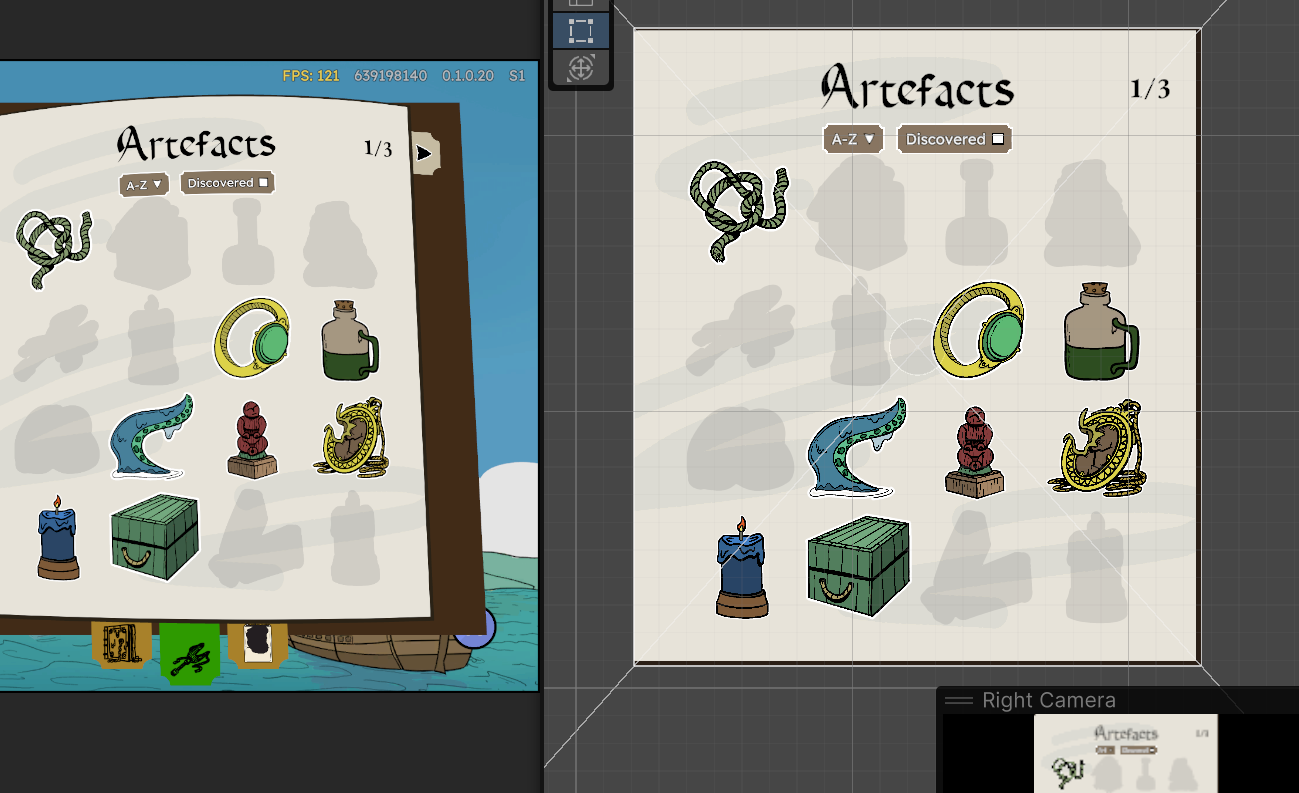
The pages actually bend like paper. Each page isn't a flat rectangle, it's built from a flexible grid that curves and peels in real time as you turn it, the way a real page in a physical book curls near the spine. There's even a "corner peel" effect like when you dog-ear a book, and each page has a genuinely different texture printed on its front versus its back.
This whole system caused another headache when it came to making the mouse position detection work. Because the pages are curved rather than flat, we had to work out where in 3D space your mouse click actually lands on the curved surface, not just where it looks like it lands on your flat screen. For a while, the invisible "click detector" for each page was using a flattened stand-in shape instead of the true curved shape, which meant clicks landed slightly wrong, and this was worse the further from the center of the page, since that's where the curve bends away from flat the most. So the click detection had to account for that true page curvature in real time to make it feel accurate.
What will the new Ship Log actually contain?
The log will contain main "tabs" to access game information. So far I've begun implementing the first 3 tabs, which are Artefacts, Cards and Voyage History. The first two are simple, they are a way to browse through all your discovered cards and artefacts.
The history tab is new though. If you've played the game yourself, you will be familiar with the summary screen you get at the end of voyages, showing key information about your run: total kills, total counter-attacks, total cards played, favourite artefact etc. All this information for every single run has been stored in your save files for a long time now, but there has been no way for you to access this data so far. The Voyage History tab will do exactly that. It presents every single run you have done in a list that is sortable by date, boss, and outcome (success or death). Hovering these voyage entries will then give you the full summary for that voyage.
The log will eventually also include evolving lists of encountered enemies, bestiary, the world map, characters and lore, and your quest log. Basically it's your one-stop shop for deeper game information.
What next?
- Completing the first 3 Ship Log tabs
- Image export system (download images of your voyage summaries)
- First version of Ship Log on playtest beta branch
- Enemy tab
- Language localisation systems
Until next time me hearties, yo ho!
Ben and the Cass Bay Games Team
